
Download the eSaral Android App
Step 1
Download the App from the link given below.
[vc_row][vc_column][vc_custom_heading text="eSaral App Download Link" font_container="tag:h4|text_align:left" use_theme_fonts="yes"][vc_btn title="Download App" color="danger" link="url:https%3A%2F%2Fwww.esaral.com%2Fesaral.apk|||"][/vc_column][/vc_row][vc_row][vc_column][vc_column_text]
Step 2
After downloading the "eSaral.apk" file, open it from the file manager or downloads. The App should be installed now. If you are facing any problem then go to Step 3.
Step 3
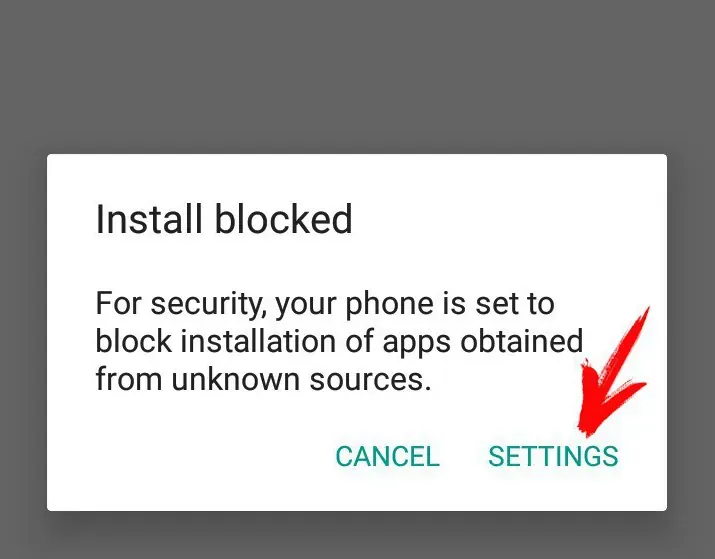
If installation is blocked, go to Settings
Step 4
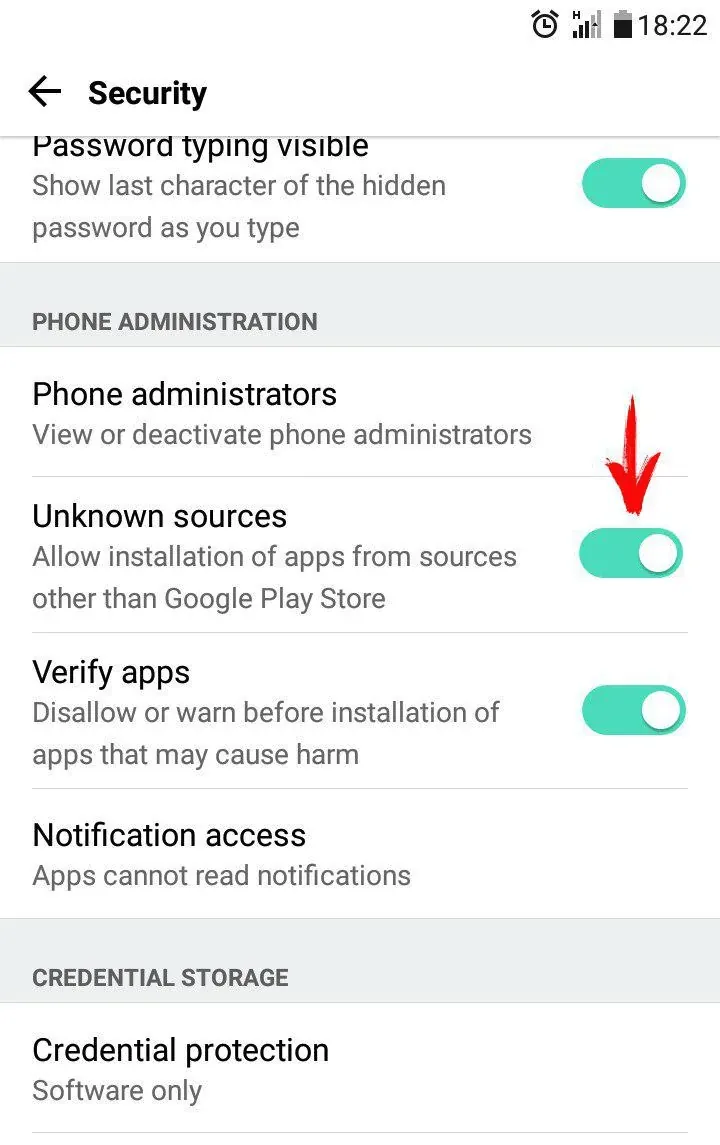
Enable 'Allow installation of apps from sources other than the Play Store'
Step 5
Now install the app again by opening "eSaral.apk" file from File Manager or Downloads.
Technical Assistance
For any problem call or whatsapp us at 6376440597
[/vc_column_text][/vc_column][/vc_row][vc_row][vc_column][vc_empty_space height="500px"][/vc_column][/vc_row]